5 Best Practices for Designing C-Suite Dashboards
Empowering executive decision-making through clarity, speed, and precision analytics.

In the fast-paced world of executive leadership, information is only as valuable as the speed at which it can be understood and acted upon. Executive dashboards need clarity, not clutter. When a CEO or CFO opens their reporting tool, they aren't looking to get lost in the weeds; they are looking for the thermal map of their business health.
At Cogwheel Insights, we specialise in translating complex data architecture into streamlined executive interfaces. Here are the five non-negotiable best practices for designing dashboards that C-suite leaders actually use.
Focus on Top-Level KPIs
Omit granular tactical data. Executives care about outcomes: revenue growth, EBITDA, customer acquisition costs, and net promoter scores. Leave the row-level transaction data for the department managers.
Intuitive Visualisations
Use clear, standard visuals. A trend line or a simple bar chart is often far more effective than complex scatter plots or 3D gauges. The goal is for the user to grasp the status in under five seconds.
Real-Time Data Sync
Information latency can lead to missed opportunities. Ensure your BI pipeline provides real-time or near-real-time updates, allowing for immediate tactical pivots based on the latest market conditions.
Strategic Drill-Downs
While the initial view should be high-level, context is king. Provide intuitive drill-down paths that allow leaders to explore the "why" behind a red flag without navigating away from the main view.
Mobile Accessibility
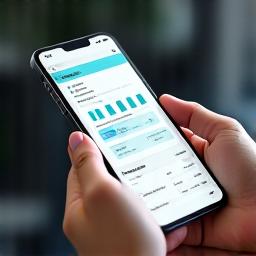
C-level executives are rarely tethered to a desk. Whether in transit or between meetings, dashboard responsiveness is a requirement, not a feature. Design for thumb-friendly navigation and high-contrast mobile views.
Ready to Elevate Your Reporting?
Our experts at Cogwheel Insights can help transition your manual reporting into a streamlined AI-powered dashboard ecosystem.
Book a Design Audit Today